| View previous topic :: View next topic |
| Author |
Message |
lcineyes
Cheater
![]() Reputation: 0 Reputation: 0
Joined: 19 May 2025
Posts: 29
|
 Posted: Mon Dec 29, 2025 7:59 am Post subject: UEFI loading DBVM freezes Posted: Mon Dec 29, 2025 7:59 am Post subject: UEFI loading DBVM freezes |
 |
|
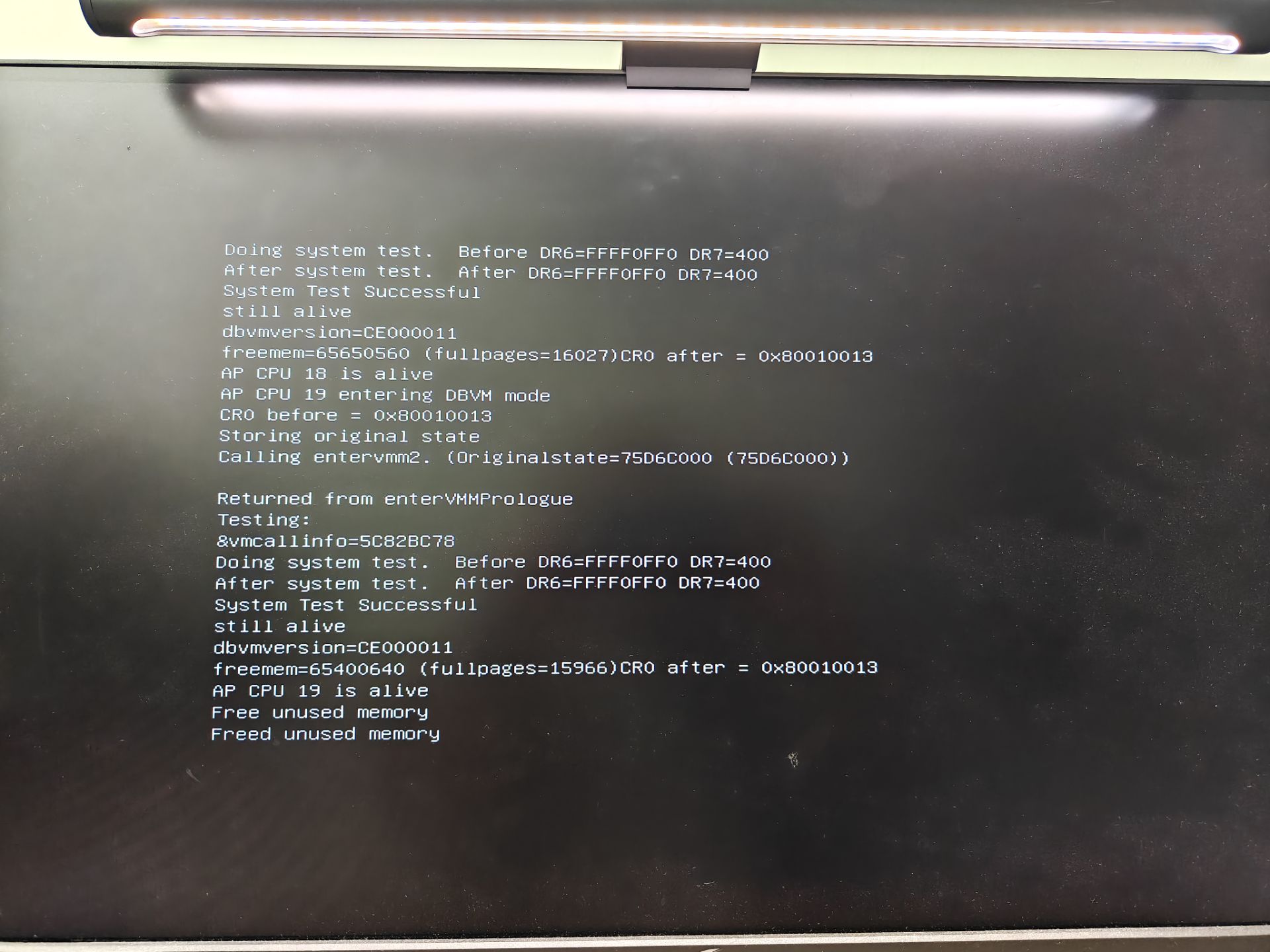
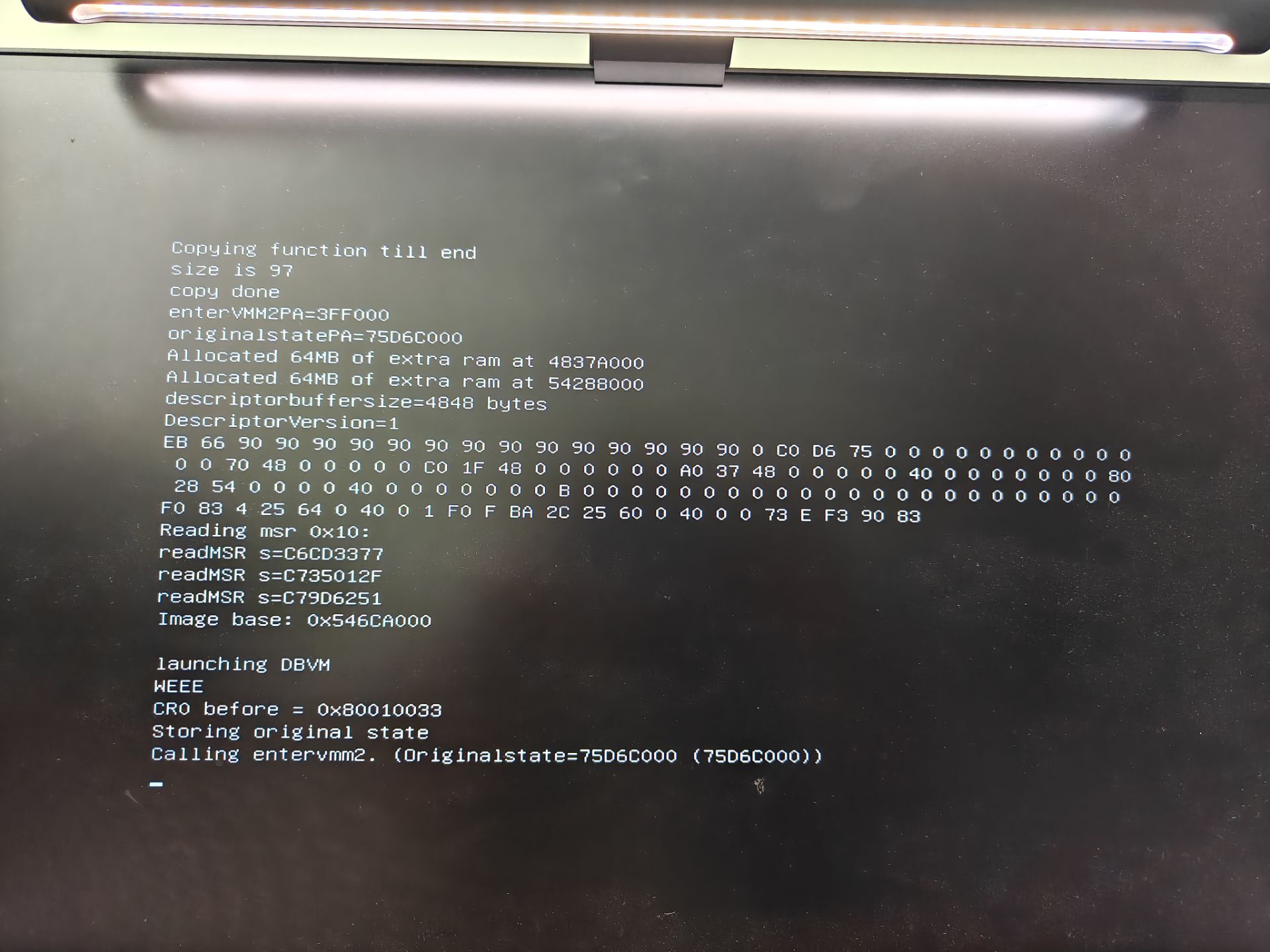
On an ASUS motherboard, loading DBVM via UEFI with Secure Boot already disabled sometimes freezes when the first CPU enters DBVM, and other times when the last CPU enters DBVM. In all cases, it freezes during the call to enterVMMPrologue.
cpu: intel i7 12700K
| Description: |
|
| Filesize: |
269.28 KB |
| Viewed: |
15463 Time(s) |
|
| Description: |
|
| Filesize: |
265.48 KB |
| Viewed: |
15463 Time(s) |
|
|
|
| Back to top |
|
 |
Dark Byte
Site Admin
 Reputation: 475 Reputation: 475
Joined: 09 May 2003
Posts: 26009
Location: The netherlands
|
| Posted: Mon Dec 29, 2025 2:53 pm Post subject: |
|
|
try disabling bitlocker encryption for your disk
and if that fails, try disabling uefi to see if it's some kind of uefi protection or not or something else
_________________
Tools give you results. Knowledge gives you control.
Like my help? Join me on Patreon so i can keep helping |
|
| Back to top |
|
|
lcineyes
Cheater
![]() Reputation: 0 Reputation: 0
Joined: 19 May 2025
Posts: 29
|
| Posted: Fri Jan 09, 2026 12:01 am Post subject: |
|
|
| I found that all APs have entered virtualization and eventually got stuck, without returning to the UEFI menu. Could the issue be with this line: SystemTable->BootServices->Exit(ImageHandle, 1, 0, NULL);? It's an ASUS motherboard.
|
|
| Back to top |
|
|
Dark Byte
Site Admin
Reputation: 475
Joined: 09 May 2003
Posts: 26009
Location: The netherlands
|
| Posted: Fri Jan 09, 2026 12:20 am Post subject: |
|
|
does refind boot windows normally if you don't boot launch dbvm?
_________________
Tools give you results. Knowledge gives you control.
Like my help? Join me on Patreon so i can keep helping |
|
| Back to top |
|
|
lcineyes
Cheater
![]() Reputation: 0 Reputation: 0
Joined: 19 May 2025
Posts: 29
|
| Posted: Fri Jan 09, 2026 6:43 am Post subject: |
|
|
| Yes, booting into Windows from rEFInd works perfectly normally.
|
|
| Back to top |
|
|
Dark Byte
Site Admin
Reputation: 475
Joined: 09 May 2003
Posts: 26009
Location: The netherlands
|
| Posted: Fri Jan 09, 2026 10:01 am Post subject: |
|
|
does it return to refind after loading or does it break before that ? (2?)
_________________
Tools give you results. Knowledge gives you control.
Like my help? Join me on Patreon so i can keep helping
Last edited by Dark Byte on Fri Jan 09, 2026 10:22 am; edited 2 times in total |
|
| Back to top |
|
|
lcineyes
Cheater
![]() Reputation: 0 Reputation: 0
Joined: 19 May 2025
Posts: 29
|
| Posted: Fri Jan 09, 2026 10:15 am Post subject: |
|
|
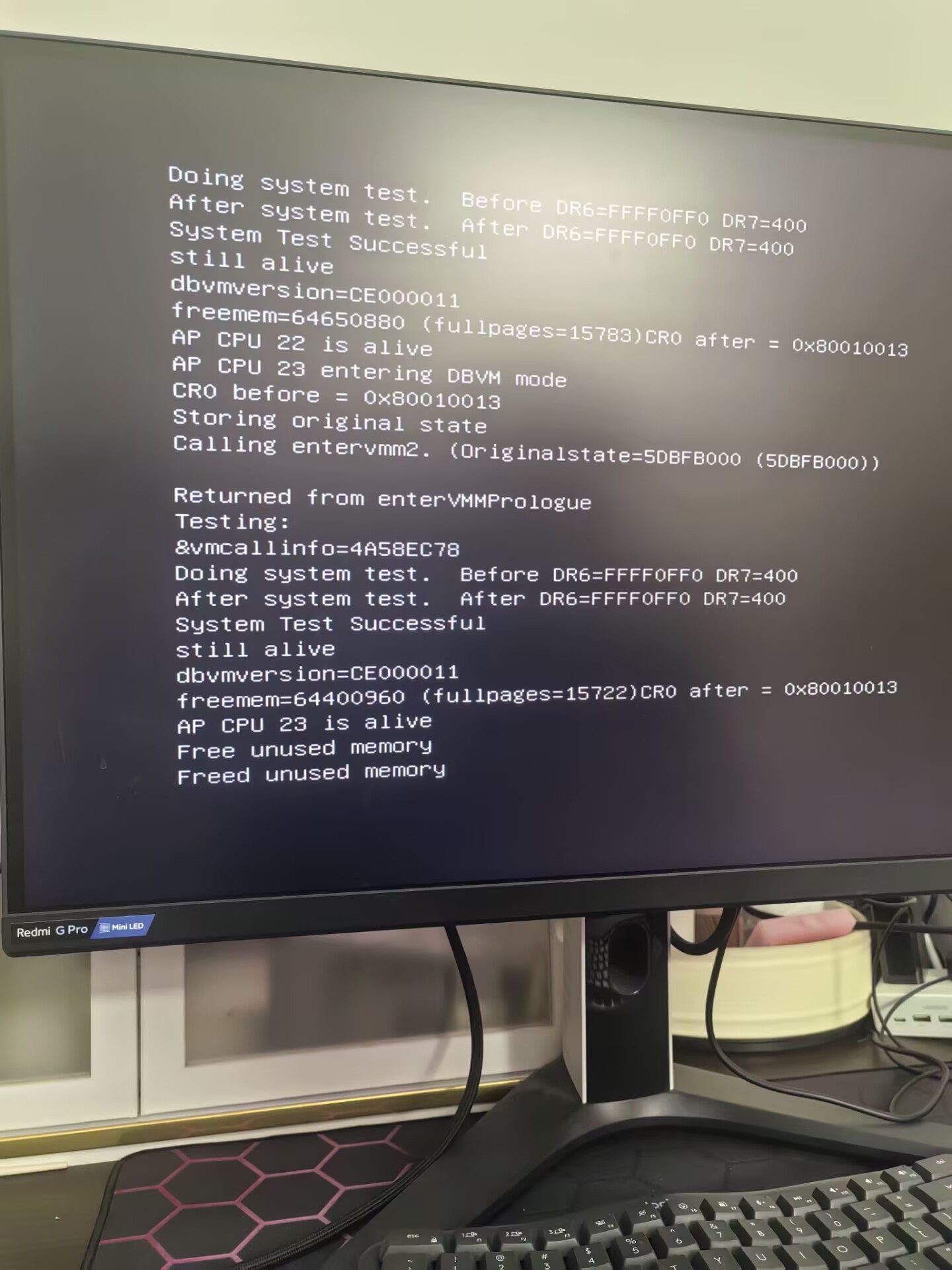
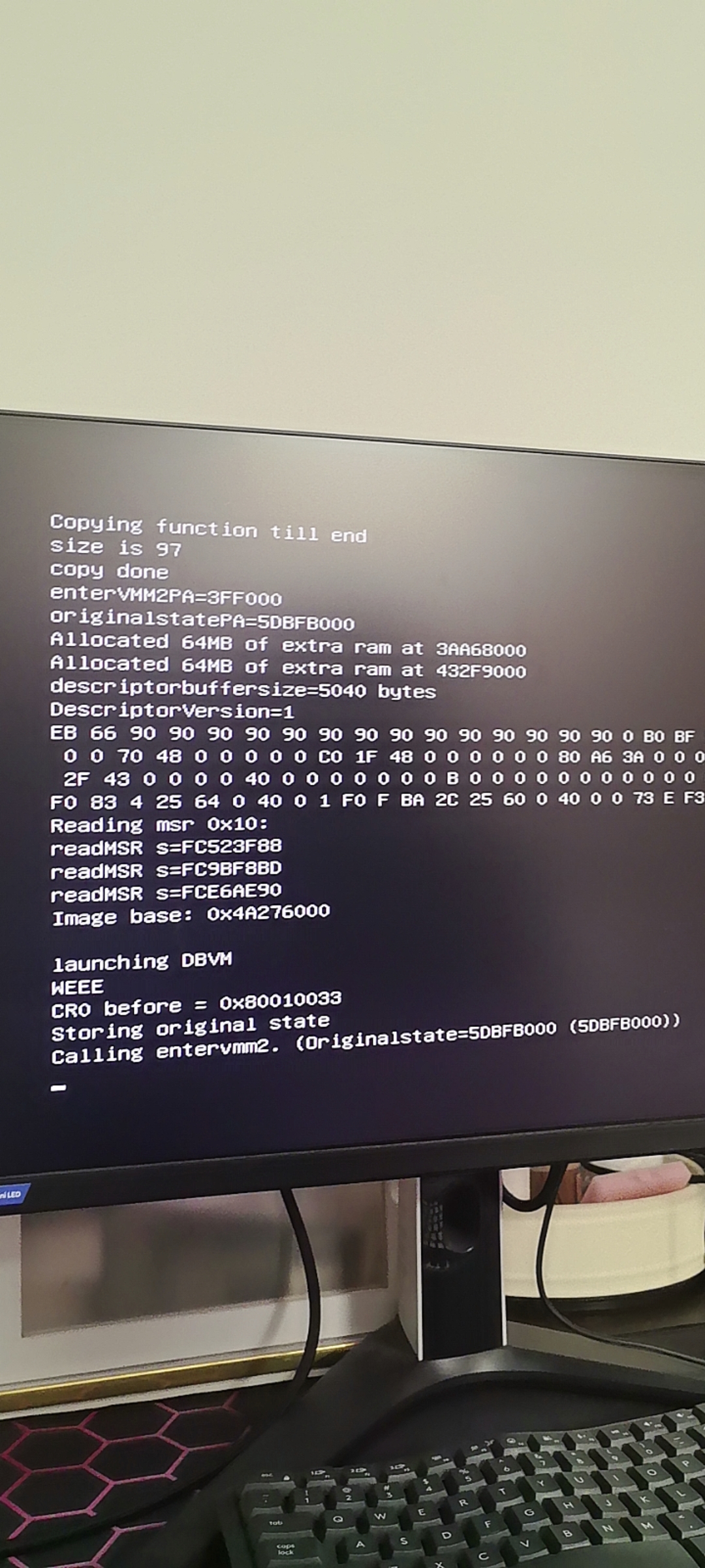
This CPU has 24 cores (0-23). 23 APs have successfully entered virtualization, but the system halts at this point. When I press Enter, it re-enters DBVM (I have made some modifications to DBVM, disabling nested virtualization), which is why it gets stuck as shown in the second screenshot.
This issue occurs on some motherboards while working normally on others.
| Description: |
|
| Filesize: |
281.68 KB |
| Viewed: |
14834 Time(s) |
|
| Description: |
|
| Filesize: |
1.24 MB |
| Viewed: |
14834 Time(s) |
|
|
|
| Back to top |
|
|
Dark Byte
Site Admin
Reputation: 475
Joined: 09 May 2003
Posts: 26009
Location: The netherlands
|
| Posted: Fri Jan 09, 2026 10:22 am Post subject: |
|
|
are you capable of compiling DBVMUEFI? If so, try making the LaunchDBVM and LaunchDBVMAP return immediately instead of loading DBVM. That way you can check if it's due to launching the AP processors that returning to the original uefi loader fails (maybe the uefi on the bad motherboards kills some pointers after that)
And maybe if you disable some cores it will work ? (maybe a cpucount overflow)
and something else: try this vmdisk.img: https://cheatengine.org/temp/vmdisk.zip Sure, it doesn't work for your needs, but if it loads maybe you have an issue in your dbvm code
_________________
Tools give you results. Knowledge gives you control.
Like my help? Join me on Patreon so i can keep helping |
|
| Back to top |
|
|
lcineyes
Cheater
![]() Reputation: 0 Reputation: 0
Joined: 19 May 2025
Posts: 29
|
| Posted: Fri Jan 09, 2026 10:34 am Post subject: |
|
|
I have compiled DBVM before, but I have never compiled DBVMUEFI. I'm not sure what environment is required. Could you provide some hints? The motherboard is the latest ASUS model. Interestingly, it works on some older motherboards. I couldn't find an option to disable CPU cores in the motherboard settings. Do you mean the issue might be related to having too many CPU cores?
The original DBVM also has the same issue. I didn't make many modifications - I only changed that global variable related to nested virtualization to disable it.
Is it possible that it's a compatibility issue between EDK1 and EDK2?
|
|
| Back to top |
|
|
lcineyes
Cheater
![]() Reputation: 0 Reputation: 0
Joined: 19 May 2025
Posts: 29
|
| Posted: Sat Jan 10, 2026 5:58 am Post subject: |
|
|
After my testing, I found that after the last AP entered dbvm and returned to rEFInd, the rEFInd interface did not display, but I could use the keyboard to select and boot into Windows.
Thank you, Dark Byte.
|
|
| Back to top |
|
|
lcineyes
Cheater
![]() Reputation: 0 Reputation: 0
Joined: 19 May 2025
Posts: 29
|
| Posted: Sat Jan 10, 2026 9:55 pm Post subject: |
|
|
In addition, I found a problem: following the steps above to boot into Windows would result in the system getting stuck on the Windows logo screen. As I really had no other options, I reinstalled the system. Oddly enough, after that, when I entered DBVM, the rEFInd interface showed up properly instead.
The system was the pre-installed one that came with the PC from the manufacturer. I have no idea why these pre-installed systems would interfere with UEFI tools.
|
|
| Back to top |
|
|
Dark Byte
Site Admin
Reputation: 475
Joined: 09 May 2003
Posts: 26009
Location: The netherlands
|
| Posted: Sun Jan 11, 2026 3:37 am Post subject: |
|
|
did you change UEFI from windows UEFI do default UEFI ?
_________________
Tools give you results. Knowledge gives you control.
Like my help? Join me on Patreon so i can keep helping |
|
| Back to top |
|
|
lcineyes
Cheater
![]() Reputation: 0 Reputation: 0
Joined: 19 May 2025
Posts: 29
|
| Posted: Mon Jan 12, 2026 7:19 am Post subject: |
|
|
| The default UEFI was not modified. A reinstallation of the system should resolve the issue. I suspect that the pre-installed system had kernel isolation enabled, whereas the system I set up did not have this feature turned on. I will test it when I have the chance and provide feedback here. The configuration of kernel isolation may affect the UEFI files. Since Windows' UEFI is read by rEFInd, it may have contaminated rEFInd as a result.
|
|
| Back to top |
|
|
lcineyes
Cheater
![]() Reputation: 0 Reputation: 0
Joined: 19 May 2025
Posts: 29
|
| Posted: Tue Jan 13, 2026 2:05 am Post subject: |
|
|
| After my testing, it has nothing to do with the kernel isolation of Windows. All the issues occur on the Windows Home edition system.
|
|
| Back to top |
|
|
|

 FAQ
FAQ Search
 Memberlist
 Usergroups
 Register
 Profile
 Log in to check your private messages
 Log in


