ablaabla
How do I cheat?
![]() Reputation: 0 Reputation: 0
Joined: 11 May 2026
Posts: 1
|
 Posted: Sun Oct 04, 2026 8:32 am Post subject: Default Lua Engine Editor Extensions Posted: Sun Oct 04, 2026 8:32 am Post subject: Default Lua Engine Editor Extensions |
 |
|
i tried to replicate my config from vscode
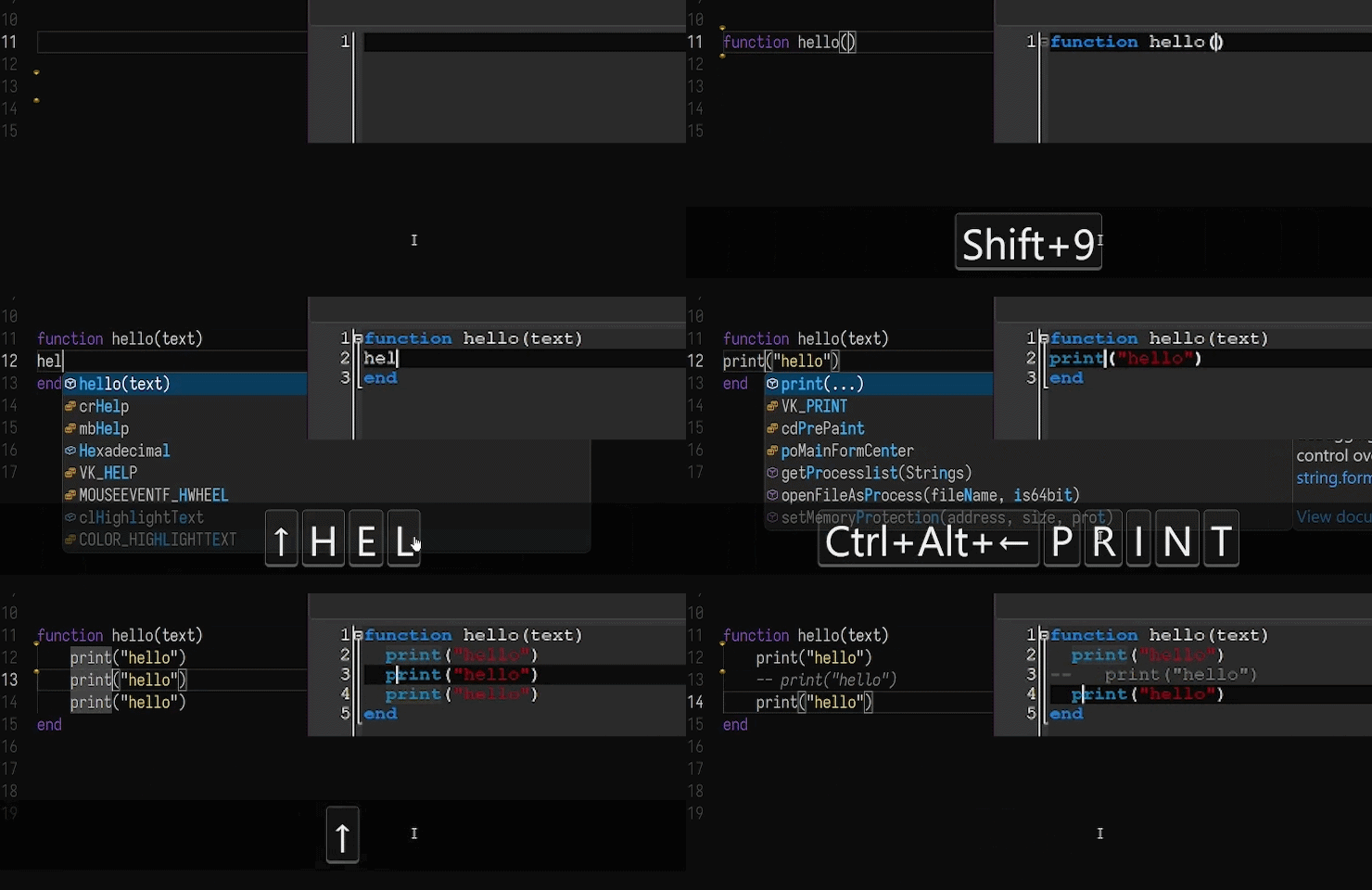
i attached a gif previewing how it works.
there's a bug when duplcating the 2nd line up, the first line gets duplicated instead.
idk how to fix that, so just duplicate down instead lol
also undo and redo will not work with some of the new features i added,
because they use mscript's .Insert() which does not save changes to the history
it's a bit clunky, but works well enough for me
it also works for the cheat table's lua engine editor, although i have not tested it as thoroughly
i changed the autocomplete window (ctrl+space) to have a bigger size and turned off case sensitivity.
every shortcut is at the bottom of the script and you can adjust them to your liking
i've also left a comment with other functions the default mscript editor has so if you're missing a feature maybe you can find it there,
along with a helper function to convert shortcuts from number form to strings and vice versa.
features
wrapping selection in parentheses or quotes
ALT + UP/DOWN -- moving lines up or down
ALT + SHIFT + UP/DOWN -- duplicate lines up or down
CTRL + "/" -- comment/uncomment lines
rebinded
CTRL + ALT + LEFT -- go to line start
CTRL + ALT + SHIFT + LEFT -- select to line start
CTRL + ALT + RIGHT -- go to line end
CTRL + ALT + SHIFT + RIGHT -- select to line end
CTRL + ] -- indent
CTRL + [ -- unindent
CTRL + SHIFT + D -- delete whole line
ALT + Z -- redo
| Description: |
|
| Filesize: |
1.2 MB |
| Viewed: |
259 Time(s) |
|
| Description: |
|

Download |
| Filename: |
mscriptExtension.lua |
| Filesize: |
16.47 KB |
| Downloaded: |
21 Time(s) |
|
|

 FAQ
FAQ Search
 Memberlist
 Usergroups
 Register
 Profile
 Log in to check your private messages
 Log in


