| View previous topic :: View next topic |
| What do you think about this issue? |
| High Priority |
|
0% |
[ 0 ] |
| Moderate Priority |
|
0% |
[ 0 ] |
| Low Priority |
|
100% |
[ 1 ] |
| No Priority Deal With It |
|
0% |
[ 0 ] |
| Light Mode FTW |
|
0% |
[ 0 ] |
|
| Total Votes : 1 |
|
| Author |
Message |
Gear2ndGandalf
Cheater
![]() Reputation: 0 Reputation: 0
Joined: 22 Jan 2018
Posts: 36
Location: USA
|
 Posted: Mon Feb 05, 2024 11:04 pm Post subject: Issue: Dark Mode With Override Font Makes Text Invisible Posted: Mon Feb 05, 2024 11:04 pm Post subject: Issue: Dark Mode With Override Font Makes Text Invisible |
 |
|
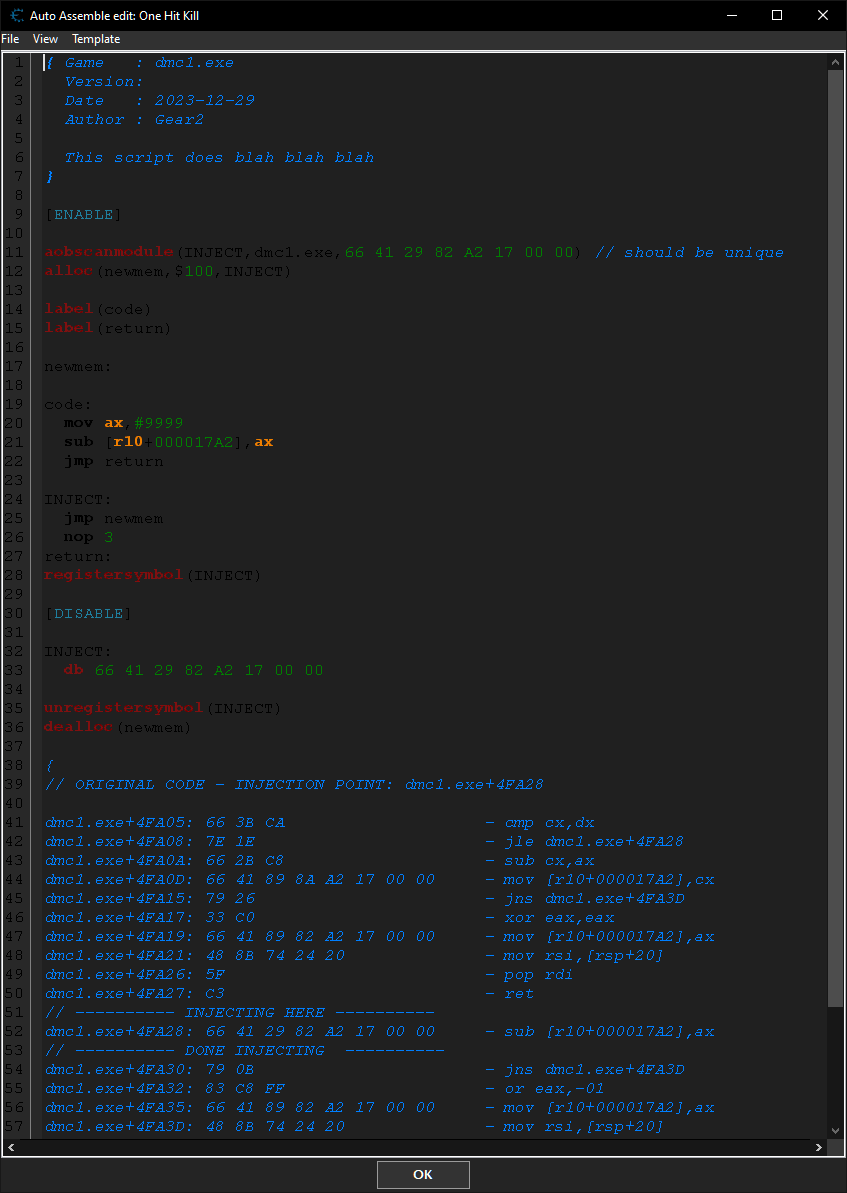
There is no way to set font color to system default when using the Override Default Font feature. Black font makes AA Script text invisible while white makes pop-up box text invisible.
May I suggest 4 possible fixes?
1. Making pop-up boxes dark. (I could just use white text)
2. Override Default Font feature does NOT affect color. (Color stays system default)
3. Allow color editing of fonts in AA Script Preferences. (currently is NOT allowed)
4. Make Override Default Font Feature include AA Script font preferences as well.
Using Windows 10
CT version 7.5
Please view attachments for a visual on the issue.
This is just a nitpick btw and not a big issue. CT is amazing and I will continue to use. I just love dark mode and would like to change only my font.
| Description: |
| Pop-up Boxes Dark Mode White Text Issue |
|
| Filesize: |
4.37 KB |
| Viewed: |
1026 Time(s) |

|
| Description: |
| AA Script Dark Mode Black Text Issue. |
|
| Filesize: |
42.17 KB |
| Viewed: |
1026 Time(s) |
|
|
|
| Back to top |
|
 |
|

 FAQ
FAQ Search
 Memberlist
 Usergroups
 Register
 Profile
 Log in to check your private messages
 Log in


