| View previous topic :: View next topic |
| Author |
Message |
oLaudix
Expert Cheater
![]() Reputation: 3 Reputation: 3
Joined: 25 Mar 2010
Posts: 138
|
 Posted: Thu Aug 23, 2012 7:26 am Post subject: Posted: Thu Aug 23, 2012 7:26 am Post subject: |
 |
|
| ConraDEV wrote: | | He is already su |
Uh im blind >.<
|
|
| Back to top |
|
 |
Radiation
Grandmaster Cheater
 Reputation: 14 Reputation: 14
Joined: 17 Jun 2009
Posts: 842
Location: Chernobyl
|
| Posted: Thu Aug 23, 2012 2:11 pm Post subject: |
|
|
| Dark Byte wrote: | | Sorry, no debugger yet. |
oh alright :/
is there any way to make the scans go faster when searching for unknown, increased, and decreased values?
i was thinking if it was possible to directly connect to the device with a USB cable and do scans that way... might be faster to work through...
_________________
|
|
| Back to top |
|
|
djsilver666666
Newbie cheater
![]() Reputation: 0 Reputation: 0
Joined: 01 Aug 2006
Posts: 13
|
| Posted: Wed Sep 05, 2012 7:27 pm Post subject: How do I connect the client? |
|
|
I've put the ceserver-linux_arm_android file in system/xbin/ and executed it successfully:
i.minus. com/jbo0nKVIzBNoWY.png (can't post urls...)
But how do I connect cheat engine on my desktop to the server on my android phone?
|
|
| Back to top |
|
|
Dark Byte
Site Admin
 Reputation: 475 Reputation: 475
Joined: 09 May 2003
Posts: 25987
Location: The netherlands
|
| Posted: Thu Sep 06, 2012 5:33 am Post subject: |
|
|
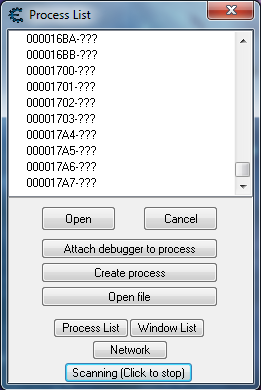
In the processlist click on network.
From there select the ip of your device, and if it's not showing, manually type it in
_________________
Tools give you results. Knowledge gives you control.
Like my help? Join me on Patreon so i can keep helping |
|
| Back to top |
|
|
djsilver666666
Newbie cheater
![]() Reputation: 0 Reputation: 0
Joined: 01 Aug 2006
Posts: 13
|
| Posted: Thu Sep 06, 2012 2:06 pm Post subject: |
|
|
Eh, that's why... I looked there and couldn't find anything because I was still using CE 6.1 not 6.2 
|
|
| Back to top |
|
|
Radiation
Grandmaster Cheater
Reputation: 14
Joined: 17 Jun 2009
Posts: 842
Location: Chernobyl
|
| Posted: Fri Sep 07, 2012 3:07 am Post subject: |
|
|
| djsilver666666 wrote: | | Eh, that's why... I looked there and couldn't find anything because I was still using CE 6.1 not 6.2 |
hahaha same thing happened to me too when I later tried to connect through network. It seems that I had two copies of CE of different versions installed and I was thinking "I know i've seen the option somewhere, but WHERE????" Then realized. Bam. So to all out there, make sure you are using the latest release of cheatengine...
_________________
|
|
| Back to top |
|
|
SteveAndrew
Master Cheater
 Reputation: 30 Reputation: 30
Joined: 02 Sep 2012
Posts: 323
|
|
| Back to top |
|
|
Dark Byte
Site Admin
Reputation: 475
Joined: 09 May 2003
Posts: 25987
Location: The netherlands
|
| Posted: Fri Sep 28, 2012 11:34 am Post subject: |
|
|
Not really sure. Your android device is based on linux 2.6 or later? and it's actually rooted? (So not just fake rooted where you can run what you wish but still blocked from doing the most horrible things ?)
can you go to /proc and enter the folders in there ?
_________________
Tools give you results. Knowledge gives you control.
Like my help? Join me on Patreon so i can keep helping |
|
| Back to top |
|
|
SteveAndrew
Master Cheater
Reputation: 30
Joined: 02 Sep 2012
Posts: 323
|
| Posted: Fri Sep 28, 2012 5:12 pm Post subject: |
|
|
| Dark Byte wrote: | Not really sure. Your android device is based on linux 2.6 or later? and it's actually rooted? (So not just fake rooted where you can run what you wish but still blocked from doing the most horrible things ?)
can you go to /proc and enter the folders in there ? |
Yes I believe its actually rooted, I did it myself (people say it's equivalent to jailbreaking on iphones but its a lot more to it on iphones / a chain of exploits / this seemed like I used 1 exploit to gain root)
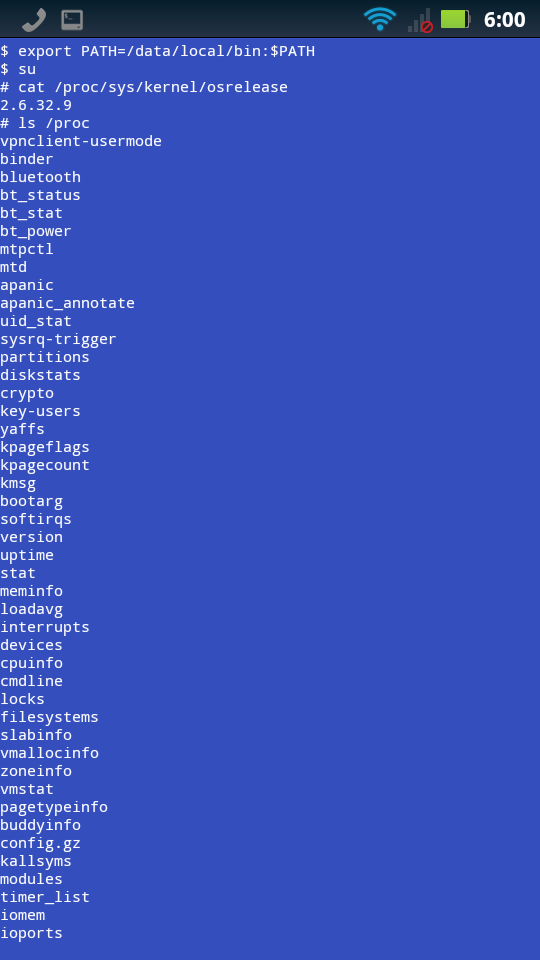
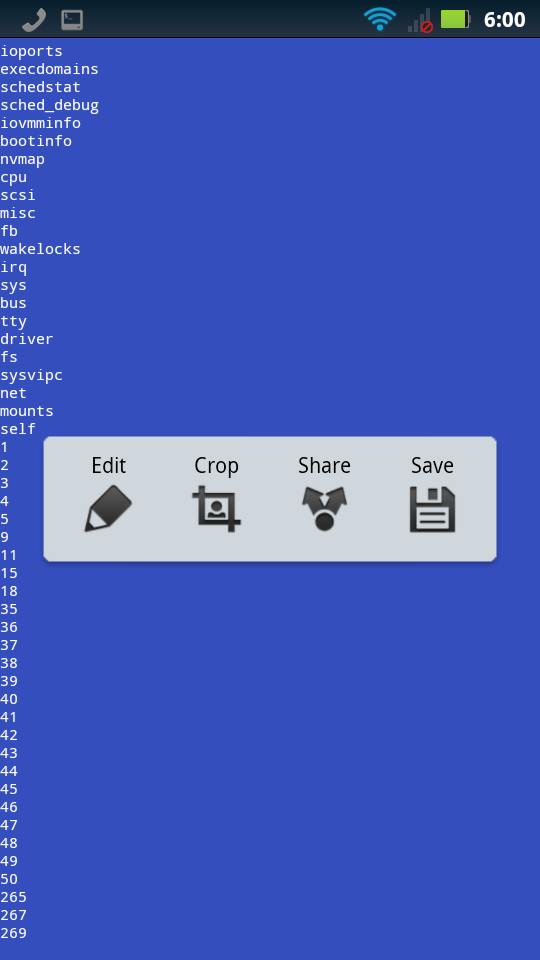
linux kernel version 2.6.32.9 as shown in the attached image... and I can list the folders in the proc directory, and there seems to be numbers at the bottom (process ids?)
EDIT: Oh you said enter the directories in /proc, yes I can, not everything is a directory though like the process ids... any folder in particular? I entered 'bluetooth', 'binder', and 'self' so far and can get inside them and list their contents...
| Description: |
|
| Filesize: |
87.01 KB |
| Viewed: |
31247 Time(s) |
|
| Description: |
|
| Filesize: |
61.73 KB |
| Viewed: |
31247 Time(s) |
|
_________________
|
|
| Back to top |
|
|
NewCheater
Newbie cheater
![]() Reputation: 0 Reputation: 0
Joined: 08 Aug 2010
Posts: 17
|
| Posted: Sat Apr 20, 2013 4:31 pm Post subject: |
|
|
| oLaudix wrote: | | You put it system/xbin/ directory and run it from Android Terminal app. |
I use Android Terminal Emulator to get to "system/xbin/" directory but then how do I copy the file to there? I can only transfer the file though windows explorer or KIES but I can not find system/xbin/ though there, only though terminal emulator.
Is there something I must know before I can follow the steps you are all talking about?.
I am already root user.
|
|
| Back to top |
|
|
hwxckoutuu
How do I cheat?
![]() Reputation: 0 Reputation: 0
Joined: 31 Jul 2013
Posts: 1
|
| Posted: Wed Jul 31, 2013 10:33 pm Post subject: |
|
|
is there a cheat engine for android tablet?
if yes,,, can u please give me the links of it
and step on how to intall it in android tablet,,
I meet the same problem on my tablet
|
|
| Back to top |
|
|
Dark Byte
Site Admin
Reputation: 475
Joined: 09 May 2003
Posts: 25987
Location: The netherlands
|
| Posted: Thu Aug 01, 2013 2:15 am Post subject: |
|
|
Download the android ceserver from the download section and write it to an executable location. (E.g mkdir /data/bla , then chmod 777 /data/bla) then copy ceserver to that dir (e.g. adb push or cp from sdcard if you have cp installed)
And then run it (e.g ./ceserver in the specific dir)
Then start ce, go to the task manager, rightclick ce, set affinity to only 1 cpu
In ce go to the processlist, click on network, and select or fill in the ip of your device
From then on you can scan the memory.
There is currently no debugging yet, but that will get added next version
Oh yes, you must be in root mode (su, superuser) when doing this
_________________
Tools give you results. Knowledge gives you control.
Like my help? Join me on Patreon so i can keep helping |
|
| Back to top |
|
|
NewCheater
Newbie cheater
![]() Reputation: 0 Reputation: 0
Joined: 08 Aug 2010
Posts: 17
|
| Posted: Sat Aug 03, 2013 3:56 pm Post subject: |
|
|
CE in android works fine.
I am exciting for that next version with the debugger. Thanks for your work Dark Byte 
|
|
| Back to top |
|
|
Zaladine
Expert Cheater
 Reputation: 3 Reputation: 3
Joined: 14 Oct 2012
Posts: 129
Location: Djokdja, Indonesia
|
| Posted: Fri Aug 09, 2013 12:19 pm Post subject: |
|
|
in my device, it says: "Please wait... Executing Script...."
then the timer just goes on and on and on, showing no successful result...
what to do?
EDIT:
--------------------------------------------
I've just re-run the script and got following script output:
| Code: | Finished executing script file
exit value:0
stdout:
&s=0xbeecfbdc
main=0x9938
CEServer. Waiting for client connection
socket=7
bind =-1
Terminate server
stderr:
null
|
So... is this good or not ?
When it try to Connect to server in CE, nothing comes up in the list...
I'm completely new to this, so please help. Thanks in advance...
Last edited by Zaladine on Fri Aug 09, 2013 12:27 pm; edited 1 time in total |
|
| Back to top |
|
|
Dark Byte
Site Admin
Reputation: 475
Joined: 09 May 2003
Posts: 25987
Location: The netherlands
|
| Posted: Fri Aug 09, 2013 12:23 pm Post subject: |
|
|
How do you launch cetrainer?
_________________
Tools give you results. Knowledge gives you control.
Like my help? Join me on Patreon so i can keep helping |
|
| Back to top |
|
|
|

 FAQ
FAQ Search
 Memberlist
 Usergroups
 Register
 Profile
 Log in to check your private messages
 Log in