 |
Cheat Engine
The Official Site of Cheat Engine
|
| View previous topic :: View next topic |
| Author |
Message |
.lua
Expert Cheater
 Reputation: 1 Reputation: 1
Joined: 13 Sep 2018
Posts: 203
|
 Posted: Thu Dec 12, 2019 2:33 am Post subject: How to solve the problem of sawtooth Posted: Thu Dec 12, 2019 2:33 am Post subject: How to solve the problem of sawtooth |
 |
|
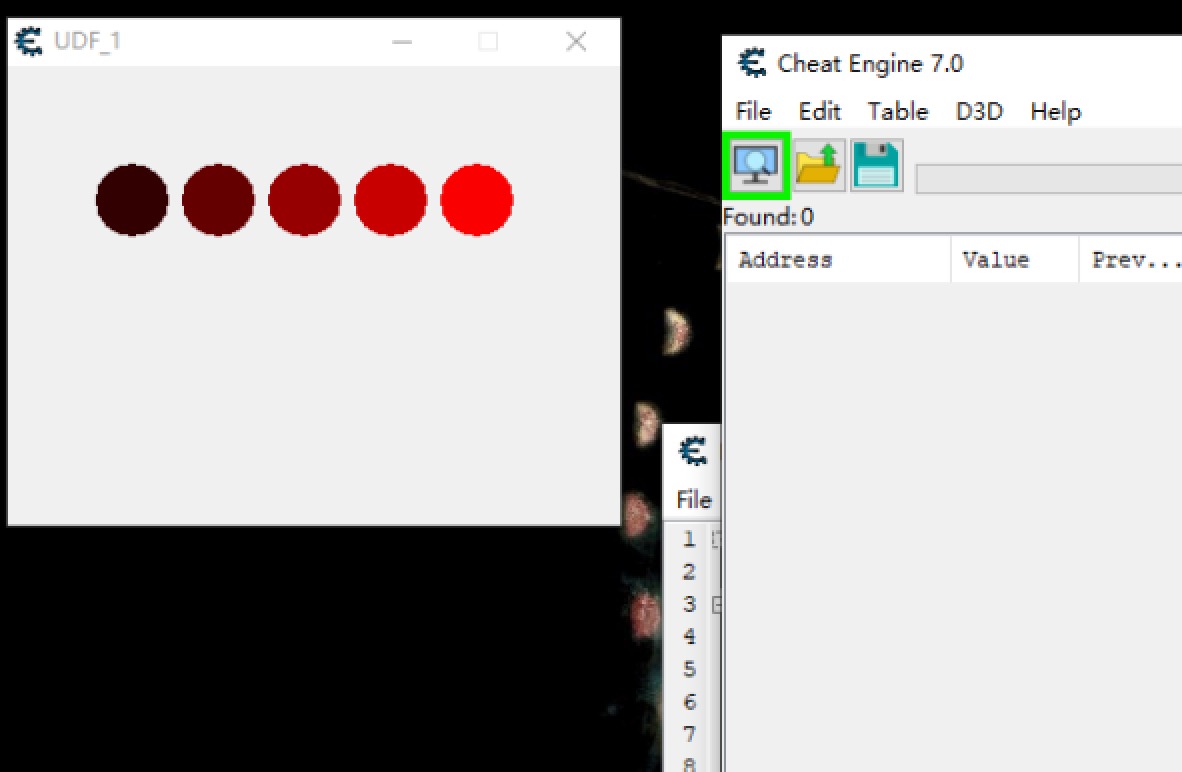
Can you optimize it? I want to remove the sawtooth around the circle
| Code: | if f then f.destroy() end
f=createForm()
function setShape(str,vv)
local vx=str.Width
local vy=str.Height
if bm then bm.destroy() end
bm=createBitmap()
bm.Width=vx
bm.Height=vy
--bm.Canvas.Pen.Color=0x555555
bm.Canvas.Pen.Width=1
bm.Canvas.roundRect(0,0,vx,vy,vv,vv)
str.setShape(bm)
end
for i=1,5 do
p=createPanel(f)
p.setSize(40,40)
p.setPosition(i*45,50)
p.color=i*50
setShape(p,45)
end |
| Description: |
|
| Filesize: |
68.29 KB |
| Viewed: |
2138 Time(s) |
|
|
|
| Back to top |
|
 |
atom0s
Moderator
 Reputation: 205 Reputation: 205
Joined: 25 Jan 2006
Posts: 8588
Location: 127.0.0.1
|
| Posted: Thu Dec 12, 2019 4:50 am Post subject: |
|
|
You can partially abuse the newer drawWithMask function to get a bit cleaner:
| Code: |
if f then f.destroy() end
f=createForm()
function setShape(str, vv)
local vx = str.Width;
local vy = str.Height;
if (bm1) then bm1.destroy() end
if (bm2) then bm2.destroy() end
local multAmount = 10;
local multOffset = 5;
bm1 = createBitmap(vx * multAmount, vy * multAmount)
bm1.Canvas.clear();
bm1.Canvas.Pen.Width = 1;
bm1.Canvas.AntialiasingMode = amOn;
bm1.Canvas.roundRect(0 + multOffset, 0 + multOffset, vx * multAmount - multOffset, vy * multAmount - multOffset, vv * multAmount, vv * multAmount);
bm2 = createBitmap(vx, vy)
bm2.Canvas.clear();
bm2.Canvas.Pen.Width = 1;
bm2.Canvas.AntialiasingMode = amOn;
bm2.Canvas.drawWithMask(0, 0, vx, vy, bm1, 0, 0, vx * multAmount, vy * multAmount);
str.setShape(bm2);
end
for i = 1, 5 do
p = createPanel(f);
p.setSize(40, 40);
p.setPosition(i * 45, 50);
p.Color = i * 50;
setShape(p, 100);
end
|
Still has non-smooth edges but less noticeable. Doesn't seem like any of the current drawing stuff adheres to the anti-alias settings though.
This uses two bitmaps to draw 1 very large version of the circle, then another to draw it scaled down to get better results.
_________________
- Retired. |
|
| Back to top |
|
|
.lua
Expert Cheater
Reputation: 1
Joined: 13 Sep 2018
Posts: 203
|
| Posted: Thu Dec 12, 2019 5:13 am Post subject: |
|
|
| thank you very much. This code makes the edges smooth. It seems that it can only be used for larger images
|
|
| Back to top |
|
|
|
|
You cannot post new topics in this forum
You cannot reply to topics in this forum
You cannot edit your posts in this forum
You cannot delete your posts in this forum
You cannot vote in polls in this forum
You cannot attach files in this forum
You can download files in this forum
|
|
 FAQ
FAQ Search
 Memberlist
 Usergroups
 Register
 Profile
 Log in to check your private messages
 Log in


