Cheat Engine Forum Index Cheat Engine
The Official Site of Cheat Engine
 
 FAQFAQ   SearchSearch   MemberlistMemberlist   UsergroupsUsergroups   RegisterRegister 
 ProfileProfile   Log in to check your private messagesLog in to check your private messages   Log inLog in 


Suicide

 
Post new topic   Reply to topic    Cheat Engine Forum Index -> Art
View previous topic :: View next topic  
Author Message
SimmerSunny
Master Cheater
Reputation: 0

Joined: 08 Nov 2007
Posts: 286
Location: Home.

PostPosted: Tue Aug 18, 2009 5:08 am    Post subject: Suicide Reply with quote

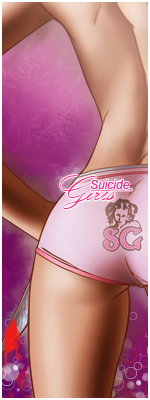
V1:


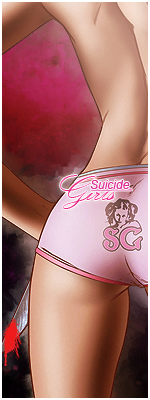
V2:


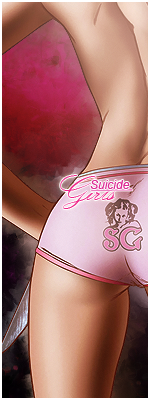
No Blood:


CnC & rate.


Last edited by SimmerSunny on Tue Aug 18, 2009 5:47 am; edited 1 time in total
Back to top
View user's profile Send private message
I am God.
Grandmaster Cheater Supreme
Reputation: -1

Joined: 15 Jun 2008
Posts: 1263

PostPosted: Tue Aug 18, 2009 5:26 am    Post subject: Reply with quote

Suicide girls? I know about them.

I personally like the 1st one better.

Both are overall 8/10

_________________
┌─┐
┴─┴
ಠ_ರೃ
I'm Kruë
Back to top
View user's profile Send private message
Zycno
Master Cheater
Reputation: 2

Joined: 12 Jun 2008
Posts: 330
Location: Denmark

PostPosted: Tue Aug 18, 2009 5:32 am    Post subject: Reply with quote

both are very good but i realy like the 1st one but can u make one without the knife it kinda ruind the sig / ava
_________________
Dont know what to say.
Back to top
View user's profile Send private message MSN Messenger
Up2Admin
I'm a spammer
Reputation: 126

Joined: 17 Oct 2007
Posts: 6548
Location: Texas

PostPosted: Tue Aug 18, 2009 5:38 am    Post subject: Reply with quote

AkA wrote:
both are very good but i realy like the 1st one but can u make one without the knife it kinda ruind the sig / ava
The knife doesn't ruin the sig. It fits the theme.
However, the blood is a little bright.

_________________
Back to top
View user's profile Send private message
Polynomial
Grandmaster Cheater
Reputation: 5

Joined: 17 Feb 2008
Posts: 524
Location: Inside the Intel CET shadow stack

PostPosted: Tue Aug 18, 2009 6:40 am    Post subject: Reply with quote

Yeah, the last one was the best. Try to make the blood darker and less opaque. It'd probably be best to have a trickle down the edge of the blade than to have it splattered all over the end.

Some reference:
http://www.freewebphoto.com/images/medium/AAAAAA-K7PPRG-N7G7FB-BADA43-K6K699-ME9A5E-B5D89G.jpg
http://www.istockphoto.com/file_thumbview_approve/406412/2/istockphoto_406412_blood_on_the_knife.jpg

Here's a really quick job I did in Photoshop:


I created a new layer, used the polygonal selection tool to create the shape of the blood, filled it with a dark red (#7c0707) and applied a Bevel and Contour effect. I'll leave it to you to re-create the blood in your own way.

_________________
It's not fun unless every exploit mitigation is enabled.
Please do not reply to my posts with LLM-generated slop; I consider it to be an insult to my time.
Back to top
View user's profile Send private message
SimmerSunny
Master Cheater
Reputation: 0

Joined: 08 Nov 2007
Posts: 286
Location: Home.

PostPosted: Tue Aug 18, 2009 6:44 am    Post subject: Reply with quote

Burningmace wrote:
Yeah, the last one was the best. Try to make the blood darker and less opaque. It'd probably be best to have a trickle down the edge of the blade than to have it splattered all over the end.

Some reference:
http://www.freewebphoto.com/images/medium/AAAAAA-K7PPRG-N7G7FB-BADA43-K6K699-ME9A5E-B5D89G.jpg
http://www.istockphoto.com/file_thumbview_approve/406412/2/istockphoto_406412_blood_on_the_knife.jpg

Here's a really quick job I did in Photoshop:


I created a new layer, used the polygonal selection tool to create the shape of the blood, filled it with a dark red (#7c0707) and applied a Bevel and Contour effect. I'll leave it to you to re-create the blood in your own way.


Cool. My version of the blood was to use a splatter brush and splatter the knife to make a "blood" effect.
Back to top
View user's profile Send private message
Polynomial
Grandmaster Cheater
Reputation: 5

Joined: 17 Feb 2008
Posts: 524
Location: Inside the Intel CET shadow stack

PostPosted: Tue Aug 18, 2009 6:54 am    Post subject: Reply with quote

If you're going to do spatter like that, use transparency and make your red much darker.

One trick to use is to create a layer with a transparency mask shaped like the knife. You can do it by creating a new layer, adding a mask, selecting the knife's shape with a selection tool of your choice, then making all but the knife's shape black in the mask using the fill tool. Then apply your spatter with any size brush and the overflow off the edge of the knife will be ignored.

_________________
It's not fun unless every exploit mitigation is enabled.
Please do not reply to my posts with LLM-generated slop; I consider it to be an insult to my time.
Back to top
View user's profile Send private message
Zycno
Master Cheater
Reputation: 2

Joined: 12 Jun 2008
Posts: 330
Location: Denmark

PostPosted: Tue Aug 18, 2009 7:34 am    Post subject: Reply with quote

its good now Razz
_________________
Dont know what to say.
Back to top
View user's profile Send private message MSN Messenger
Display posts from previous:   
Post new topic   Reply to topic    Cheat Engine Forum Index -> Art All times are GMT - 6 Hours
Page 1 of 1

 
Jump to:  
You cannot post new topics in this forum
You cannot reply to topics in this forum
You cannot edit your posts in this forum
You cannot delete your posts in this forum
You cannot vote in polls in this forum
You cannot attach files in this forum
You can download files in this forum


Powered by phpBB © 2001, 2005 phpBB Group

CE Wiki   IRC (#CEF)   Twitter
Third party websites