| View previous topic :: View next topic |
| Author |
Message |
cokefag
Master Cheater
 Reputation: 51 Reputation: 51
Joined: 15 Nov 2007
Posts: 488
|
 Posted: Wed Dec 10, 2008 12:14 am Post subject: How do i delete a shared folder. Posted: Wed Dec 10, 2008 12:14 am Post subject: How do i delete a shared folder. |
 |
|
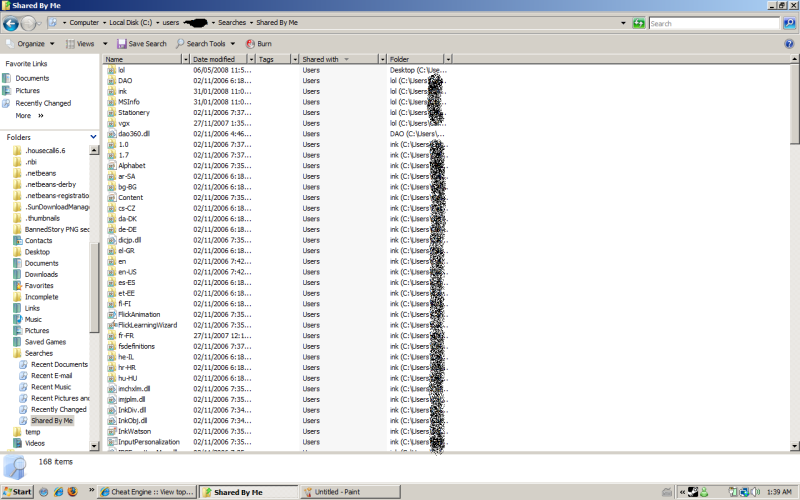
Was fucking around with BYOND, acidentally made a shared folder.
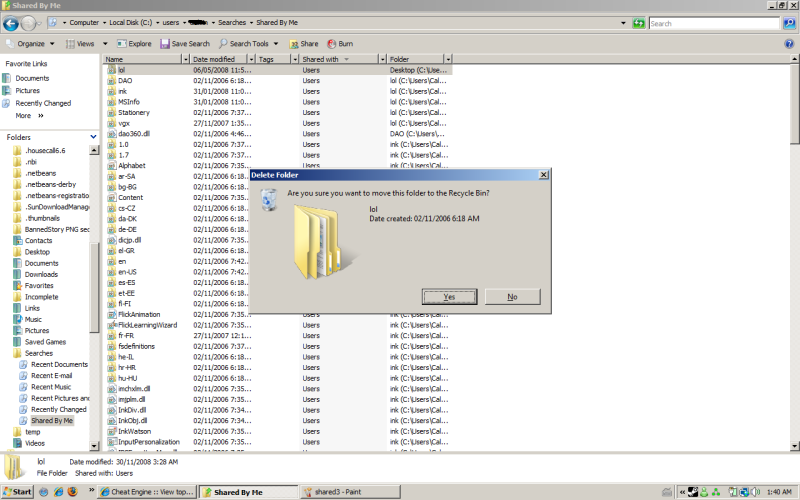
Can't Delete.
Helps
|
|
| Back to top |
|
 |
Sora
Grandmaster Cheater Supreme
 Reputation: 0 Reputation: 0
Joined: 14 May 2008
Posts: 1471
|
| Posted: Wed Dec 10, 2008 12:22 am Post subject: |
|
|
| System restore to a time where you didn't download the folder.
|
|
| Back to top |
|
|
benlue
Moderator
![]() Reputation: 0 Reputation: 0
Joined: 09 Oct 2006
Posts: 2142
|
| Posted: Wed Dec 10, 2008 12:24 am Post subject: |
|
|
try doing this method, have not tested though:
- my comp>manage>shared folders
stop sharing that folder that is shared and it should be deletable.
|
|
| Back to top |
|
|
cokefag
Master Cheater
Reputation: 51
Joined: 15 Nov 2007
Posts: 488
|
| Posted: Wed Dec 10, 2008 12:30 am Post subject: |
|
|
| benlue wrote: | try doing this method, have not tested though:
- my comp>manage>shared folders
stop sharing that folder that is shared and it should be deletable. |
How do i go there.
I'm on Vista BTW.
|
|
| Back to top |
|
|
Sora
Grandmaster Cheater Supreme
Reputation: 0
Joined: 14 May 2008
Posts: 1471
|
| Posted: Wed Dec 10, 2008 12:33 am Post subject: |
|
|
| Computer > My Sharing Folders. Type in computer in the text box on the top when you open documents, the text where it says documents.
|
|
| Back to top |
|
|
cokefag
Master Cheater
Reputation: 51
Joined: 15 Nov 2007
Posts: 488
|
| Posted: Wed Dec 10, 2008 12:43 am Post subject: |
|
|
None of the shared folders are BYOND and are all MSN.
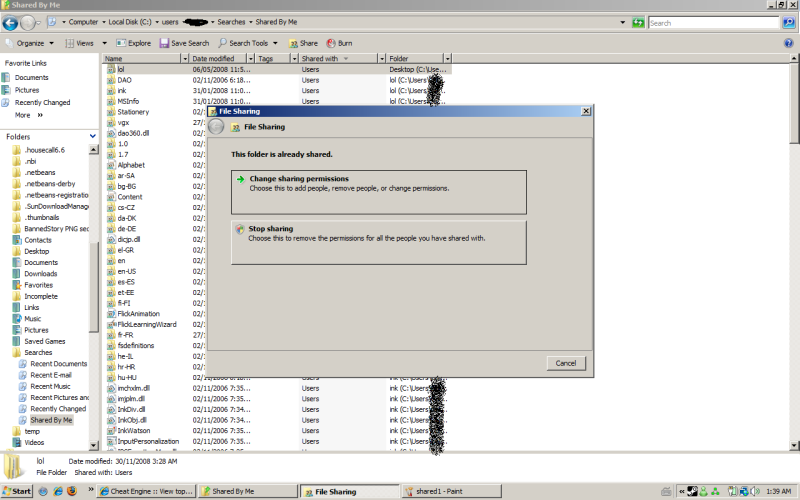
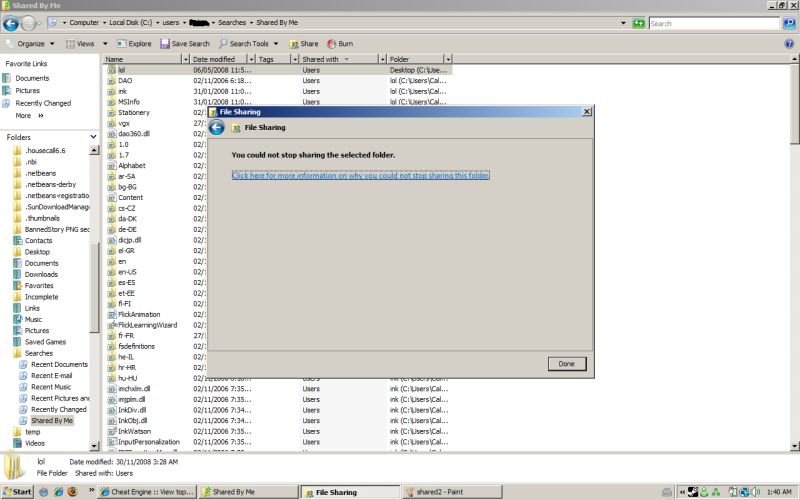
By the way here are 6 pictures of what is happening.
My name has been crossed out due to the fact that i am a pussy to people knowing my name.
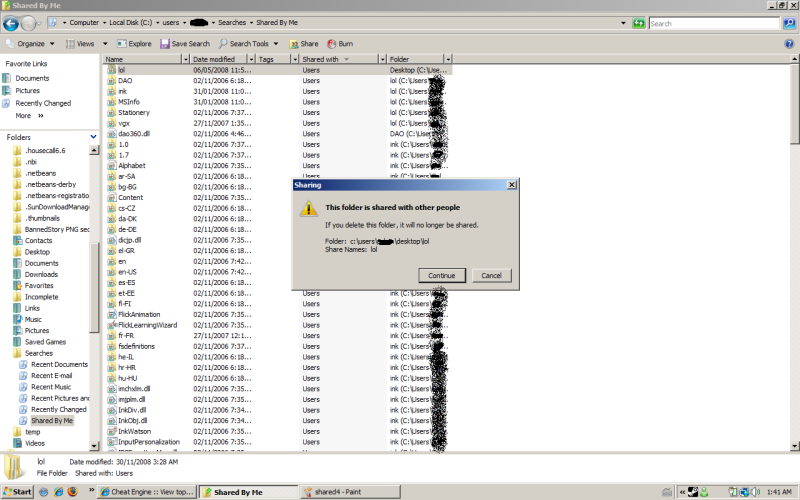
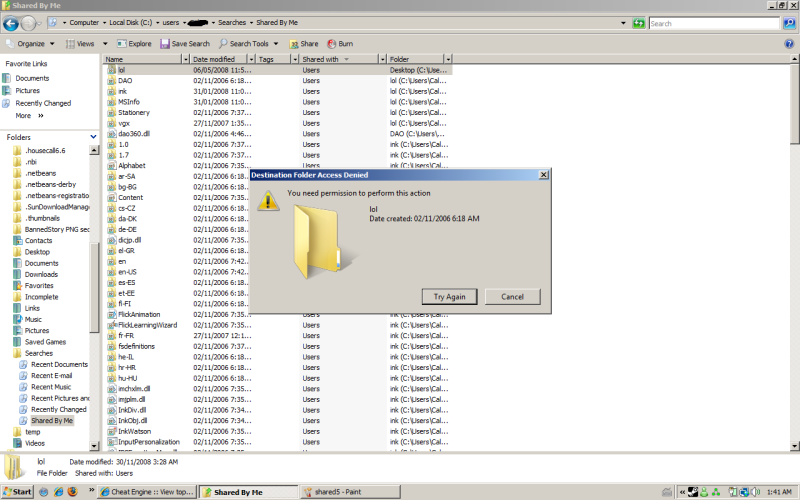
|
|
| Back to top |
|
|
Sora
Grandmaster Cheater Supreme
Reputation: 0
Joined: 14 May 2008
Posts: 1471
|
| Posted: Wed Dec 10, 2008 1:16 am Post subject: |
|
|
Open up the secret administrator account and go to your C:\Users\Name\Searched\Shared By Me and try deleting the sharing folders?
Anyways, now I think I know your real name.
|
|
| Back to top |
|
|
FullyAwesome
I post too much
![]() Reputation: 0 Reputation: 0
Joined: 05 Apr 2007
Posts: 4438
Location: Land Down Under
|
| Posted: Wed Dec 10, 2008 1:44 am Post subject: |
|
|
if you're talking about the one like MSN makes in my computer, you can remove it by going into the registry to:
HKEY_LOCAL_MACHINE\SOFTWARE\Microsoft\Windows\CurrentVersion\Explorer\MyComputer\NameSpace (key for xp, but i think it's the same for vista)
and deleting the folder. i'm not 100% sure this is what you're talking about though, if it is hope it helps.
_________________
|
|
| Back to top |
|
|
cokefag
Master Cheater
Reputation: 51
Joined: 15 Nov 2007
Posts: 488
|
| Posted: Wed Dec 10, 2008 3:15 am Post subject: |
|
|
wrong account rofl.
that's my brother's account, nothing to be worried about afterall.
anyways.
I showed you wat happens
it says
YOU HAS NO PERMISSIOn, GTFO.
|
|
| Back to top |
|
|
|

 FAQ
FAQ Search
 Memberlist
 Usergroups
 Register
 Profile
 Log in to check your private messages
 Log in


